India's Most Complete GST Simulation Platform

India's #1 GST Simulation
Practice Portal

Practice every GST form, return, and portal workflow in a safe simulated environment — 99% of what the real Government portal offers, without any regulatory risk.

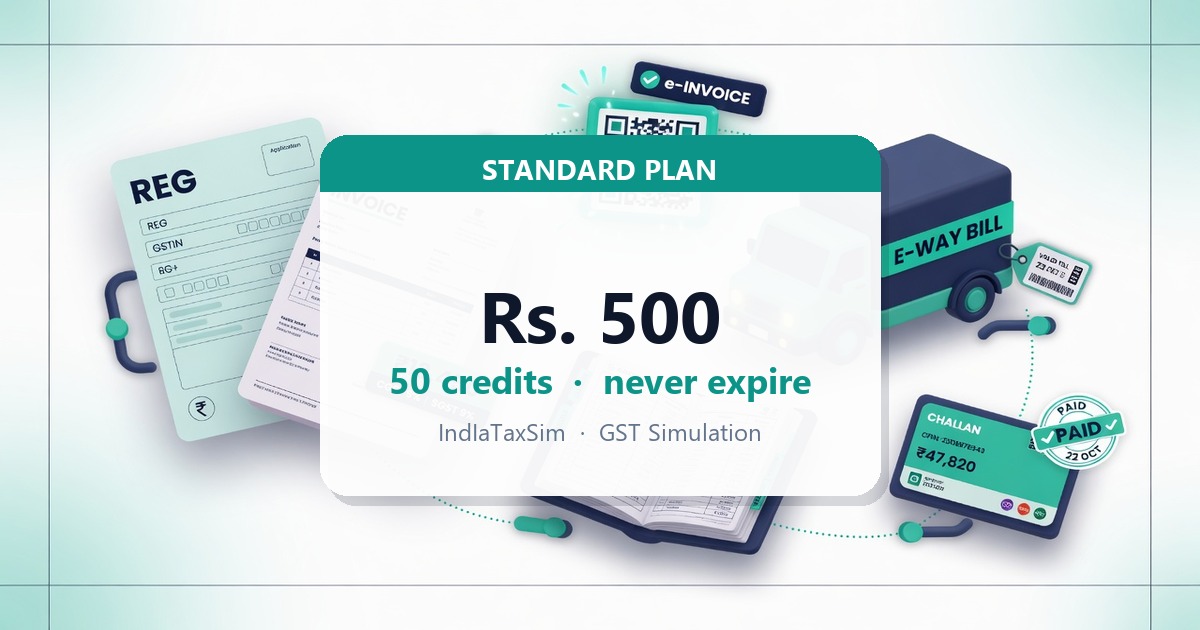
Explore free · ₹500 for 50 credits · Use 50 credits to unlock the GST Portal Proficiency Exam

📱 Also available as an Android app — See mobile features →

10,000+

Students Trained

500+

Partner Institutes

80

Course Modules

99%

GST Portal Coverage

Who Should Use This GST Simulation?

TaxSim is built for anyone who needs to learn, teach, or understand GST compliance — from first-year students to seasoned professionals.

🎓

Commerce & CA Students

B.Com, BBA, M.Com, CA Foundation, Intermediate & Final students — practice every GST form exactly as on the real portal, with zero regulatory risk.

🧑‍💼

Tax Professionals & Accountants

Article assistants, junior accountants, and GST practitioners who need hands-on filing experience before working on live client accounts.

🏫

Coaching Institutes & Colleges

GST coaching centres, commerce colleges, and CA training institutes wanting a structured, trackable simulation module for batch training.

💼

Business Owners

Proprietors and company directors who want to understand the GST portal, their ledgers, and return filings before handing off to their CA.

Every GST Portal Module — Fully Simulated

From registration to ledgers, payments, and law references — all core modules of www.gst.gov.in recreated for training.

🏢

8 Registration Types — Part A & Part B Explained

Part A — Fresh Registration (new GSTIN each)

📋Taxpayer GSTR-1 + GSTR-3B monthly/quarterly
🏛️Tax Deductor (TDS) GSTR-7 only — Govt/PSU/metal scrap buyers under Sec. 51
🛒E-Commerce Operator (TCS) GSTR-8 — collects TCS from sellers
🧑‍💼GST Practitioner PCT-01 enrolment — no GSTIN issued
🌐OIDAR Provider GSTR-5A — foreign digital services
✈️Non-Resident Taxable Person GSTR-5 — temporary, event-based

Part B — Additional GSTIN within Taxpayer Registration

🔄ISD (Input Service Distributor) Separate GSTIN — GSTR-6 only, distributes ITC to branches
🌿Composition Scheme Same GSTIN — CMP-08 quarterly + GSTR-4 annual

Each separate GSTIN appears individually in the GSTIN switcher with its own dashboard and returns.

🔄

GSTIN Picker — Multiple Businesses

Register multiple businesses with different GSTINs and switch between them instantly. File GSTR-1 as Business A → switch to Business B → see those invoices auto-appear in GSTR-2A and GSTR-2B. Practice the complete buyer-seller ITC chain in one account.

✏️

Amendment (Non-Core & Core Fields)

Amend business details, partner information, bank accounts, and authorised signatory. Simulates both non-core and core field amendment workflows.

🗑️

Registration Cancellation

Simulate the full GST registration cancellation process — procedures many practitioners need but rarely get to practice.

🧾

Tax Invoice Creation (B2B & B2C)

Generate invoices across all GST rate slabs (0.25% to 28%) with automatic CGST/SGST/IGST split, HSN code validation, and PDF download.

🪙

e-Invoice JSON — Batch IRN Export

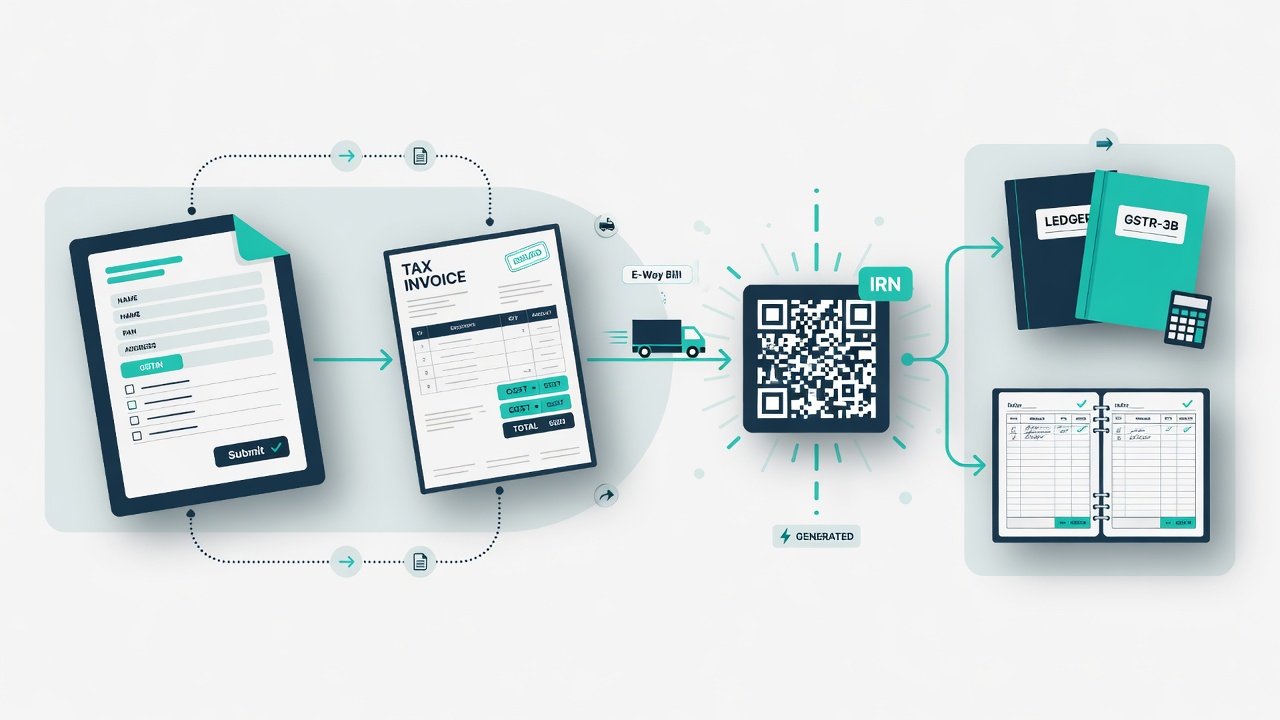
Select one or multiple B2B invoices and download batch e-Invoice JSON in Version 1.1 IRN format — ready for upload to the IRP portal (einvoice1.gst.gov.in). Required for businesses with turnover above ₹5 crore.

🏷️

Electronic Cash Ledger (GST Wallet)

Transfer funds from your bank to the GST Wallet. Use the wallet to pay IGST, CGST, SGST, and Cess — the exact same flow as the real portal.

🏦

Bank Account Management & Top-Up

Register bank accounts, set an opening balance, add funds anytime, and pay tax directly — simulating the full bank-to-ledger payment chain.

📊

Electronic Credit Ledger

View your accumulated Input Tax Credit (ITC) balance and how it was built up from GSTR-2B entries across periods.

📋

Electronic Liability Register

Track outstanding tax liability for each return period and see how payments have cleared against pending dues.

💳

Challan Creation (PMT-06)

Create a tax payment challan, specify amounts for each head (IGST/CGST/SGST/Cess), choose the payment mode, and confirm payment.

📆

QRMP Scheme — Quarterly Filing

Quarterly Return Monthly Payment scheme for small taxpayers. Month 1 & 2: pay pre-deposit challan (Fixed Sum Method — 35% of last quarter, or Self-Assessment). Month 3: file GSTR-1 + GSTR-3B as normal. Overdue PMT-06 indicator shows days late.

🔍

Taxpayer Search & GSTIN Lookup

Look up any GSTIN to view registered taxpayer details — names, addresses, filing status — as on the real portal search.

🔎

HSN Code Search

Search the HSN master to find the correct code and tax rate for any product or service — a daily tool for GST practitioners.

⚖️

Tax Comparison Tool

Compare GSTR-2A/2B inward figures against your purchase register — identify ITC mismatches and discrepancies before filing.

📈

Track Application Status

Check the status of pending GST applications — registration, amendments, refunds — just like the portal status tracker.

🚛

E-Way Bill & Consolidated EWB

Generate, cancel, extend, update vehicle/transporter, print, and bulk-generate E-Way Bills. Also generate Consolidated E-Way Bills (CEWB) for multi-invoice shipments — the complete EWB portal simulation.

🏷️

e-Invoice (IRN)

Generate IRN-compliant e-Invoices for B2B supplies. Enter invoice details, validate on the IRP, and download the signed JSON with QR code — mandatory for turnover above ₹5 crore.

📂

GSTR-1 Excel Offline Tool

Download our GSTN V2.2 Excel template, fill B2B/B2C/CDN/Export/HSN sheets with invoice data, and generate a GSTN-format JSON file — then upload directly to your GSTR-1 return. Replicates the real GST Offline Tool V3.2.4 without GSTIN validation restrictions.

🔔

DRC-01B — ITC Mismatch Intimation

Receive and respond to system-generated DRC-01B notices when ITC claimed in GSTR-3B exceeds GSTR-2B auto-populated ITC by more than 20%. Accept the claim as correct or initiate reversal — exactly as on the real portal.

⚖️

GST APL-01 — Appeal to Appellate Authority

File a formal appeal against any demand order, assessment order, or enforcement order. Select the order type, attach annexure, enter disputed amounts, calculate 10% pre-deposit, and get an ARN — per-GSTIN isolation.

💡

GST ARA-01 — Advance Ruling Application

Apply for advance ruling on classification, rate, time of supply, ITC eligibility, or registration queries. Select SGST/CGST/IGST acts, pay the ₹5,000 application fee per act, upload filled template, and file — separate applications per GSTIN.

💰

Refund Application (GST RFD-01)

Apply for GST refund across 7 categories: export with payment of tax, export under LUT (ITC refund), inverted duty structure ITC, excess cash ledger balance, SEZ supplies, deemed exports, and other orders. Auto-populated amounts from your ledgers.

🧑‍💼

GST Practitioner (GSTP) — Engage & Disengage

Practice engaging and disengaging a GST Practitioner on behalf of a taxpayer. Search by GSTP enrolment ID, authorise with EVC, and revoke access — as on the real User Services portal.

See the GST Simulation in Action

Real screenshots from the platform — every screen mirrors the actual GST portal interface.

GST Simulation Portal — Home

GST Simulation Portal — Home

Pre-login home page mirroring gst.gov.in layout

Simulation Dashboard

Simulation Dashboard

Returns calendar, demo data & credit balance

File Returns — Overview

File Returns — Overview

All returns with due dates & filing status

GSTR-1 — All Tiles

GSTR-1 — All Tiles

14+ table tiles — B2B, B2C, CDN, HSN & more

GSTR-1 — B2B Invoice Form

GSTR-1 — B2B Invoice Form

Enter recipient GSTIN, invoice details & tax rates

GSTR-1 — Consolidated Summary

GSTR-1 — Consolidated Summary

Filed return with B2B outward supply totals

GSTR-3B — Tax Summary

GSTR-3B — Tax Summary

Auto-filled ITC, outward tax & payment tables

IMS — Inward Supplies Dashboard

IMS — Inward Supplies Dashboard

Accept, Reject or Pending per supplier invoice

HSN Code Search

HSN Code Search

Browse the HSN master — click to copy code & rate

Services Navigation Menu

Services Navigation Menu

Full portal menu — Registration, Returns & more

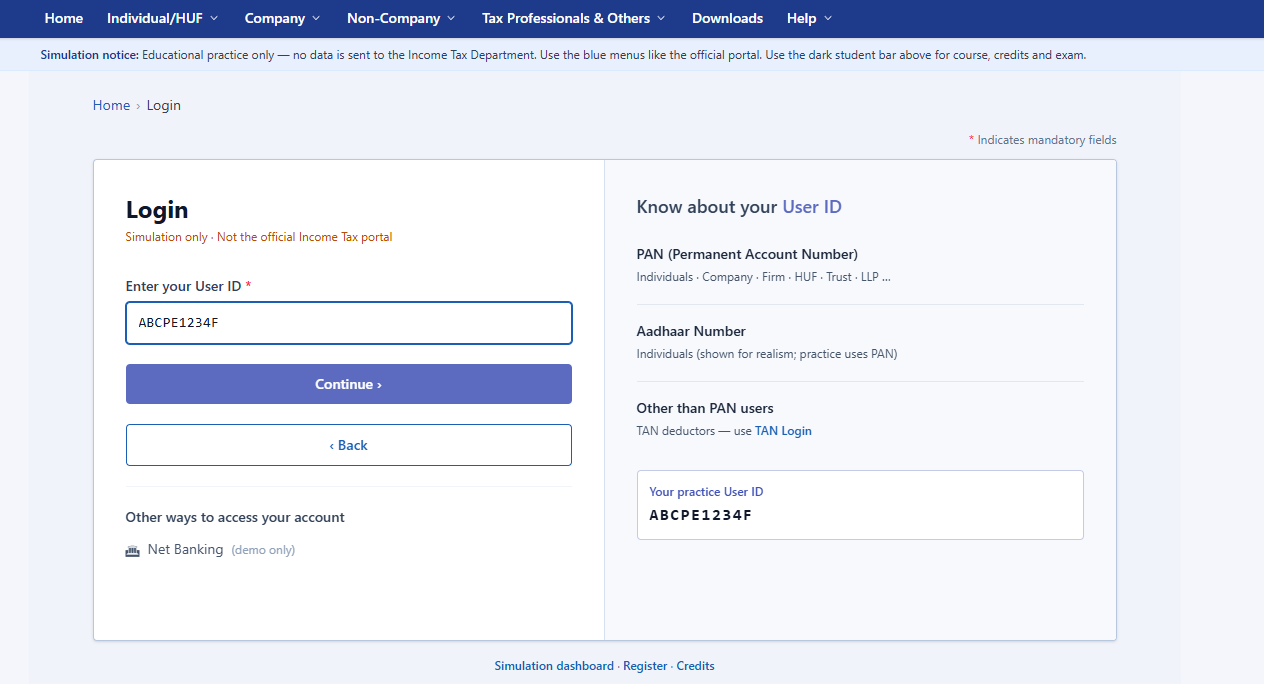
GST Portal Login

GST Portal Login

GSTIN picker — switch between multiple businesses

New Registration — REG-01

New Registration — REG-01

All 7 steps — PAN, address, bank & signatory

Challan — PMT-06

Challan — PMT-06

Select reason, enter amounts per tax head

Annual Returns

Annual Returns

GSTR-9 Annual + GSTR-9C Reconciliation

Opt-in for Quarterly Return (QRMP)

Opt-in for Quarterly Return (QRMP)

Choose Monthly or Quarterly filing preference

B2B Help Modal

B2B Help Modal

Field-level guidance popup — on every table

E-Way Bill System — Dashboard

E-Way Bill System — Dashboard

EWBs generated, cancelled & pending — 7-day summary

e-Invoice System — Dashboard

e-Invoice System — Dashboard

IRN generation, bulk upload & cancellation portal

All screens shown are from the live TaxSim simulation platform. No real data is ever submitted to any government authority.

All Portal Menus — What Each Does in the Simulator

Every menu and sub-menu of the real GST portal is available here. Here is exactly what you can do under each section.

📝

GST Registration Portal

New Registration (REG-01)

Complete all 7 steps of the GST registration form. Enter business name, PAN (validated for format), business type, address, authorised signatory, and bank details. The simulator contains a built-in database of demo PAN numbers and business names — browse and click to auto-fill any field. On submission, a practice ARN is generated and saved to your account. Register multiple businesses to practice the buyer-seller ITC chain.

GSTIN Picker — Switch Between Accounts

Use the GSTIN Picker in the portal header to instantly switch between any of your registered businesses. File GSTR-1 as Business A → switch to Business B → open GSTR-2A or GSTR-2B to see those invoices auto-populated. Accept them in IMS and claim ITC in GSTR-3B — the complete supply chain in one account.

Track Application Status

Enter any ARN from your simulation to see its status: Pending Verification → Processing → Approved. The simulator mirrors the real portal's status tracking screen so you learn exactly what to expect after filing a real application.

Amendment of Non-Core Fields

Change business trade name, registered address, bank account details, authorised signatory, and partner/director information — without GSTN officer approval. Practice adding a new bank account with opening balance and see how it reflects in your payment gateway.

Amendment of Core Fields

Practice amendments that require GSTN officer approval: changes to constitution of business, principal place of business, or merger of businesses. Understand what triggers a core amendment vs. a non-core amendment.

Cancellation of Registration

File a cancellation application — select reason, enter details, and submit. Understand the cancellation workflow and what information the real portal requires before closure.

📋

GST Returns Filing

File Returns Dashboard

Central dashboard listing all return types (GSTR-1, 3B, 9, etc.) with their filing status — Not Filed, Draft Saved, or Filed with ARN. Shows due dates, overdue alerts, late fee amounts (₹50/day, max ₹10,000), and 18% p.a. interest on unpaid GSTR-3B liability. Click any card to go directly to that return.

GSTR-1 — Outward Supplies

All 14+ tables of the real GSTR-1. Load one-click demo data or enter your own B2B, B2C, export, CDN, advance, HSN, and document entries. Preview a consolidated summary before filing. File to get a practice ARN. Download the official PDF. Delete a filed return and re-file as many times as needed for practice.

GSTR-1A — Amendments

After GSTR-1 is filed, amend already-filed invoices using Table 9A (B2BA) and Table 9C (CDNRA). Practice how amendment returns work — the original invoice shows alongside the amended version.

GSTR-2A — Inward Supplies

Auto-populated from your suppliers' GSTR-1 filings in the simulator. When a seller (another simulated business) files their GSTR-1, their B2B invoices automatically appear in your GSTR-2A. View supplier-wise. Download JSON or Excel for reconciliation practice.

GSTR-2B — Static ITC Statement

The definitive ITC cut-off statement — monthly and quarterly views. ITC figures from GSTR-2B auto-populate into Table 4 of your GSTR-3B when you open it. Download JSON or 12-sheet Excel. Quarterly view aggregates Q1–Q4 for annual ITC reconciliation.

GSTR-3B — Monthly Summary

Outward tax liability (Table 3.1) is auto-filled from your GSTR-1. ITC (Table 4) is auto-filled from GSTR-2B. The net tax payable (Table 6) is auto-computed. Pay via GST Wallet or linked bank. File with simulated EVC to generate ARN. Download PDF. Late interest calculated automatically if overdue.

GSTR-9 — Annual Return

Annual return auto-consolidated from 12 months of GSTR-3B data. All tables 4–19 filled from your monthly filing history. Edit, review, file, and download PDF. Understand how monthly returns roll up into the annual return.

GSTR-9C — Reconciliation Statement

Reconciliation between audited accounts and GSTR-9 figures. Unlocks only after GSTR-9 is filed. Practice reconciling turnover, tax liability, and ITC between books and returns — the most complex form for CA students.

IMS — Invoice Management System

View all inward invoices from your suppliers. Accept (claim ITC), Reject (dispute), or Keep Pending each invoice. Your choices update GSTR-2B. The outward dashboard shows what your buyers have done with your invoices. Rejected invoices appear in a dedicated rejected-records tab.

Tax Comparison

Side-by-side comparison of GSTR-2A vs. GSTR-2B figures for a selected period. Identify which invoices are in 2A but not 2B (ITC not yet available) and vice versa — a critical reconciliation exercise for real GST practice.

QRMP Scheme — PMT-06 Pre-Deposit (Month 1 & 2)

For quarterly filers, the File Returns dashboard automatically detects Month 1 and Month 2 of the quarter and shows the PMT-06 pre-deposit card instead of GSTR-1/3B. Choose Fixed Sum Method (automatically calculates 35% of last quarter's tax) or Self-Assessment Method (enter your own estimate). Due date shown with overdue indicator if past the 25th of the month.

Offline Tools — GSTR-1 JSON Export

Export all your saved GSTR-1 entries as a GSTN-schema JSON file (zipped). The format exactly matches what the real offline utility generates — suitable for understanding how offline JSON uploads work in the real portal.

Offline Tools — GSTR-3B JSON Upload & Export

Upload a GSTN-format JSON to load GSTR-3B data as a draft (simulates the offline utility import flow). Also export your current GSTR-3B data as JSON for download — both directions of the offline tool workflow.

GSTR-1 Excel Offline Tool — Bulk JSON Converter

Download TaxSim's GSTN V2.2 Excel workbook, fill invoice data across sheets (b2b, b2cs, cdnr, exp, hsn), and generate a GSTN-format JSON file with one click — then upload directly to your GSTR-1. Replicates the real GST Offline Tool V3.2.4 workflow; no GSTIN validation restriction in the simulation.

GSTR-7 — TDS Deductor Return (Monthly)

For government/PSU entities registered as TDS deductors. Table 3: add deductee GSTIN, invoice amount, and TDS deducted (1% CGST + 1% SGST intra-state; 2% IGST inter-state). Compute liabilities, pay via wallet, file with EVC — ARN generated. After filing, download GSTR-7A TDS Certificate (PDF) for each deductee — searchable by GSTIN. TDS credit auto-reflected in deductee Cash Ledger. Load demo data: 3 deductees totalling ₹16L of payments, ₹32,000 TDS.

GSTR-8 — E-Commerce Operator TCS Return (Monthly)

For e-commerce platforms collecting TCS from sellers. Table 3: enter supplier GSTIN, gross supplies, and returns by suppliers. Net liable = gross minus returns. TCS auto-calculated at 0.5% CGST+SGST or 1% IGST. Compute, verify Table 6 & 7, file with EVC — ARN generated. TCS credited to each supplier's Cash Ledger. Load demo data: 3 supplier entries totalling ₹6,200 TCS.

GSTR-5A — OIDAR Provider Return (Monthly)

For non-resident OIDAR (digital services) providers. Table 3: add one entry per state (Place of Supply) with taxable value — IGST @ 18% auto-calculated. Table 5 summarises total tax payable. File with EVC/DSC — ARN generated. OIDAR GSTIN starts with "99". Load demo data: 4 states — Kerala ₹2.5L, Maharashtra ₹4.8L, Karnataka ₹1.8L, Tamil Nadu ₹2.2L.

GSTR-5 — Non-Resident Taxable Person Return (Monthly)

For foreign entities temporarily doing business in India (exhibitions, events, projects). Table 3: import entries with IGST@18% auto-calculated. Tables 5/6/7: outward supplies — B2B (registered buyer), B2CL (large unregistered), B2CS (small unregistered). NRTP GSTIN starts with "07" (Delhi). Due 20th or 7 days before expiry. Load demo data: 2 imports + 3 outward entries.

GSTR-6 — Input Service Distributor Return (Monthly)

For Input Service Distributors (ISD) who receive services centrally and distribute ITC to branches. Table 3: B2B inward invoices from suppliers. Table 6B: Credit/Debit Notes. Table 4: ITC available summary (auto-computed). Tables 5 & 8: branch-wise ISD distribution entries. No tax payment — only ITC distribution and late fee. ISD registration via "Input Service Distributor only" reason. Due 13th of the following month. Load one-click demo data.

CMP-08 — Composition Quarterly Statement

For composition scheme taxpayers. Quarterly self-assessed tax statement for Q1–Q4. Enter outward supply value, RCM inward purchases, and interest. Tax auto-calculated at the composition rate (1%–6%). File with EVC — ARN generated. Load demo data: 4 quarters pre-filed for practice.

GSTR-4 — Composition Annual Return

Annual return for composition taxpayers. Tables 4A–4D: inward entries from unregistered/reverse-charge suppliers. Table 5: CMP-08 quarterly summary auto-consolidated. Table 6: rate-wise outward supply total. Table 7: TDS/TCS credits. File with EVC — ARN generated.

💳

GST Tax Payments & Challan

Create Challan (PMT-06)

Fill a payment challan specifying IGST, CGST, SGST, and Cess amounts for each tax head. Choose payment mode — Net Banking (from bank) or GST Wallet (from Electronic Cash Ledger). A simulated challan number is generated on submission.

Pay from Bank Account

Your registered bank accounts (added in Registration → Amendment) are listed with current balance. Select a bank, enter the amount, and click PAY — the bank balance is deducted and the Electronic Cash Ledger is credited. Teaches the real bank-to-government payment flow.

Add to GST Wallet (Electronic Cash Ledger)

Alternatively, transfer funds from your bank into your GST Wallet. The wallet balance can then be used to pay any number of challans. Mirrors how real businesses pre-load their GST Wallet before the due date.

Bank Account Management

Under Registration → Amendment (Non-Core), add new bank accounts with an opening balance. Top up any bank's balance anytime. All balances are tracked and reflected in the payment gateway — complete fund management simulation.

📊

GST Ledgers & ITC Tracking

Electronic Cash Ledger

Your GST Wallet — shows current balance per tax head (IGST, CGST, SGST, Cess), all credits (funds added from bank) and all debits (tax payments made). Exactly mirrors the real portal's ECL screen. Balance updates live when you make payments or top up.

Electronic Credit Ledger

Shows accumulated ITC balance — how much Input Tax Credit is available from accepted inward invoices (via IMS and GSTR-2B). Broken down by IGST, CGST, and SGST. Used for cross-utilisation during GSTR-3B payment.

Electronic Liability Register

Lists your outstanding tax liability period-by-period — what was due, what was paid, and what remains. Shows GSTR-1 outward liability entries and GSTR-3B payment entries in a consolidated register — the same view a GST officer sees.

RCM Liability / ITC Statement

Tracks Reverse Charge Mechanism (RCM) liability and the corresponding ITC claimed. Shows RCM tax paid under GSTR-3B Table 3.1(d) (cash payment) and ITC reclaimed under Table 4A(3) — period-wise running balance of RCM impact on your ledgers.

Negative Liability Statement — Regular Taxpayers

Tracks periods where outward tax liability was zero or nil — excess ITC carries forward rather than creating a negative liability. Always empty in simulation (outward liability never goes below zero) — models the real portal behaviour accurately.

📌

GST User Services

Taxpayer Search (GSTIN Lookup)

The simulator stores a built-in database of demo GSTINs with matching trade names, addresses, and state codes. Search by GSTIN number or business name — browse the results and click any entry to auto-fill that GSTIN into any form field (invoice, GSTR-1 B2B, etc.). No need to memorise or invent GSTINs.

HSN / SAC Code Search

Full HSN master with product descriptions and applicable GST rates. Search by code number or description keywords (e.g. "mobile", "fabric", "consulting"). Click any HSN code to copy it directly into an invoice or GSTR-1 HSN table. Teaches you how to find the right code for any product or service.

My Saved Applications

View all your in-progress and submitted GST registration applications in one place — exactly like the real portal's "My Saved Applications" page. See application reference numbers, status, and submitted form data for every registration attempt.

View / Download Certificates

After passing the GST Portal Proficiency Exam, view and download your GST completion certificate with a unique certificate ID, QR code, and publicly verifiable link at indiataxsim.com/verify.

💳

GST Profile & Settings

My Registration Certificate

View and download your GST Registration Certificate (Form REG-06) — the official document showing your GSTIN, legal name, business address, registration date, and authorised signatory. Exactly matches the real portal's certificate format.

Bank Account Status

View all bank accounts linked to your GST registration. Check account number, IFSC code, bank name, and verification status. Matches the real portal's Bank Account Status page under Profile.

Core Business Activity Status

View your registered business type, principal place of business, nature of business activities, and HSN/SAC codes declared at the time of registration — matching the real portal's Core Business Activity Status page.

History of Amendment

Track all amendments made to your GST registration using REG-14 (amendment application). See application reference number, date of amendment, fields changed, and current approval status — just like the real portal.

🚛

E-Way Bill

Generate E-Way Bill (EWB-01)

Create an E-Way Bill for movement of goods valued above ₹50,000. Enter supplier GSTIN (browse from demo database), consignee GSTIN, HSN code, value, vehicle number, and transporter details. A practice EWB number is generated instantly.

Cancel E-Way Bill

Cancel a generated E-Way Bill within the allowed time window (within 24 hours of generation). Understand the cancellation rules and what information the real portal requires.

Extend Validity

Extend the validity of an E-Way Bill when goods is in transit beyond the original validity period. Enter the reason, vehicle number, and new consignment details.

Consolidated E-Way Bill

Generate a single Consolidated E-Way Bill for multiple individual EWBs being transported together in one vehicle — as used by transporters and large businesses.

Bulk Generation & Reports

Generate multiple E-Way Bills at once via bulk upload (JSON/Excel format). View and filter all generated EWBs by date, status (active/cancelled), and party GSTIN.

🧾

e-Invoice (IRN)

Generate IRN on IRP

Register a B2B invoice on the Invoice Registration Portal (IRP). Enter seller/buyer GSTIN, invoice number, HSN code, taxable value, and tax amounts. An IRN (Invoice Reference Number) and Acknowledgement Number are generated instantly — simulating the real IRP response.

QR Code & Signed JSON

On successful registration, download the signed e-Invoice JSON containing the IRN, Acknowledgement Date, and embedded QR code — exactly as returned by the NIC's IRP API in production.

Cancel IRN

Cancel a registered e-Invoice within 24 hours of generation. Select cancellation reason (Duplicate, Data Entry Error, Order Cancelled, etc.) and submit — the IRN is marked cancelled and the invoice is excluded from GSTR-1 auto-population.

Bulk IRN Generation (GePP Tool)

Fill invoices using the built-in GePP-style tool with Recipient Master and Product Master. Prepare batch JSON and upload to IRP for bulk IRN generation — exactly the real portal workflow.

e-Invoice Applicability Check

Understand the ₹5 crore turnover threshold, exempted categories (banking, insurance, NBFCs, SEZ suppliers), and mandatory fields. The simulator validates eligibility before allowing IRN registration.

Practice All 16 GST Returns — Every Table

Practice each return form with the exact tables, fields, and workflows of the real GST portal. GSTR-1 through GSTR-9C — all covered.

GSTR-1Outward SuppliesMonthly / Quarterly

All 14+ tables — the most comprehensive form on the platform:

  • Table 4A — B2B taxable invoices (inter-state & intra-state)
  • Table 5 — B2C Large invoices (> ₹2.5 lakh, inter-state)
  • Table 7 — B2C Small aggregate supplies
  • Table 6A/6B — Exports (with payment / without payment)
  • Table 9B — Credit/Debit Notes B2B (CDNR) & B2C (CDNUR)
  • Table 9A/9C — Amendments (B2BA, CDNRA)
  • Table 11A/11B — Advances received & adjusted
  • Table 12 — HSN-wise summary of supplies
  • Table 13 — Documents issued (invoice series)
  • Table 8 — Nil-rated, exempt, non-GST supplies
  • Consolidated preview before filing
  • File with simulated EVC — ARN generated & saved
  • Download official FORM GSTR-1 PDF
  • Offline Tool — export GSTN-format JSON (ZIP download)
  • Load one-click demo data · Delete & re-file anytime
GSTR-1AAmendmentsAs needed

Amend invoices in your already-filed GSTR-1:

  • Table 9A — B2BA (amended B2B invoices)
  • Table 9C — CDNRA (amended credit/debit notes)
  • Add / edit amendment entries post-filing
GSTR-2AAuto-Drafted InwardAuto-populated

Inward-supply statement auto-filled from supplier GSTR-1 filings:

  • Supplier-wise invoice listing with tax breakup
  • Auto-seeded when seller files their GSTR-1
  • Monthly period selector
  • Download as JSON (GSTN format)
  • Download as Excel (.xlsx)
GSTR-2BStatic ITC StatementMonthly / Quarterly

The definitive ITC cut-off statement:

  • Monthly portal view with IGST/CGST/SGST breakup
  • Quarterly view (Q1–Q4) with aggregated totals
  • ITC figures auto-populate into GSTR-3B Table 4
  • Download JSON (GSTN format)
  • Download Excel (.xlsx — 12 sheets)
IMSInvoice Management SystemContinuous

Accept, reject, or keep pending each inward invoice:

  • Inward dashboard — all supplier invoices listed
  • Accept / Reject / Keep Pending per invoice
  • Outward dashboard — see buyer action on your invoices
  • Rejected records tab — full B2B rejection detail
  • Auto-mirror: seller GSTR-1 → buyer GSTR-2A
GSTR-3BMonthly SummaryMonthly / Quarterly (QRMP)

Monthly summary return — 6 tables, with QRMP support:

  • Table 3.1(a/b/c/e) — Outward tax liability (auto from GSTR-1)
  • Table 3.1(d) — Inward supplies liable to Reverse Charge (RCM) — manually enter or auto from GSTR-2B. Metal scrap from unregistered suppliers: buyer pays RCM here, must pay in cash (not from ITC)
  • Table 3.2 — Inter-state supply breakup
  • Table 4A(3) — ITC from RCM inward supplies — auto-filled after GSTR-2B generation; claim only after paying RCM in cash
  • Table 4 — ITC available (auto from GSTR-2B)
  • Table 5 — Exempt / nil / non-GST inward supplies
  • Table 6 — Net IGST/CGST/SGST payable after ITC
  • QRMP: Month 1 & 2 show PMT-06 pre-deposit card (FSM / Self-Assessment)
  • Pay via GST Wallet or direct bank payment
  • File with EVC simulation — ARN generated
  • Download official FORM GSTR-3B PDF
  • Offline Tool — upload GSTN JSON to load draft
  • Offline Tool — export GSTN-format JSON (ZIP download)
  • Auto-computes 18% p.a. interest on late filing
GSTR-9Annual ReturnAnnual (FY-wise)

Complete annual return — all required tables:

  • Tables 4–10 — Supplies, ITC, and tax paid summary
  • Tables 14–19 — HSN summary, demands & late fees
  • Auto-consolidated from monthly GSTR-3B data
  • FILE GSTR-9 — generates ARN
  • Download FORM GSTR-9 PDF
GSTR-9CReconciliation StatementAnnual

Audit reconciliation — unlocks after GSTR-9 is filed:

  • Turnover reconciliation (Books vs. GSTR-9)
  • Tax liability reconciliation
  • ITC reconciliation
  • File and download — same workflow as GSTR-9
GSTR-7TDS Deductor ReturnMonthly (due 10th)

Monthly TDS return for TDS deductors under Section 51 — government/PSU entities AND metal scrap buyers (from Oct 2024):

  • TDS entry management — deductee GSTIN, invoice, TDS amount
  • Browse Demo GSTINs for quick practice
  • Tax computation with payment via GST Wallet
  • File with EVC simulation — ARN generated
  • Download GSTR-7A TDS Certificate (PDF) — auto-generated per deductee per period
  • Search & download TDS Certificate by deductee GSTIN
  • TDS credit auto-reflected in deductee Electronic Cash Ledger
  • Metal scrap TDS (Notif. 25/2024-CT, Oct 2024) — B2B only (registered seller → registered buyer): CGST 1% + SGST 1% = 2% intra-state or IGST 2% inter-state, on taxable value excluding GST
  • TDS threshold = CONTRACT VALUE exceeding ₹2.5 lakh (not per invoice) — splitting one contract into multiple small bills does NOT avoid TDS
  • Metal scrap from UNREGISTERED suppliers: no TDS; buyer pays GST under RCM (Section 9(4)) — declare in GSTR-3B Table 3.1(d), claim ITC in Table 4A(3) after payment
e-InvoiceIRN — Invoice RegistrationPer B2B invoice

Generate IRN-schema JSON and batch-export multiple invoices:

  • Select one or multiple B2B invoices using checkboxes
  • Filter by month, then "Select All" for batch export
  • e-Invoice JSON button appears when B2B invoices are selected
  • Single invoice → one JSON document; multiple → JSON array
  • Version 1.1 IRN schema: SellerDtls, BuyerDtls, ItemList, ValDtls
  • Cancelled invoices are auto-excluded from export
  • Cancel Invoice button — retains invoice no. in sequence
  • Upload to IRP (einvoice1.gst.gov.in) to get IRN + QR code
  • Mandatory for businesses with annual turnover above ₹5 crore
GSTR-4 & CMP-08Composition SchemeAnnual + Quarterly

Complete composition scheme filing flow:

  • CMP-08 — quarterly self-assessed tax statement (Q1–Q4)
  • GSTR-4 — annual return for composition taxpayers
  • Scheme types: Trader (1%), Manufacturer (2%), Restaurant (5%), Service (6%)
  • Tables 4A–4D inward entries, Table 5 CMP-08 summary, Table 6 rate-wise outward
  • File with EVC simulation — ARN generated
  • Load one-click demo data for composition scheme
GSTR-8E-Commerce Operator TCSMonthly (due 10th)

Monthly TCS statement for e-commerce operators (Section 52):

  • Table 3 — TCS details per supplier GSTIN (intra & inter-state)
  • Net liable amount = Gross supplies minus returns by suppliers
  • TCS auto-calculated: 0.5% CGST + 0.5% SGST (intra-state), 1% IGST (inter-state)
  • Table 3.1 — amendments to prior period entries
  • Table 6 & 7 — tax collected vs. tax deposited reconciliation
  • File with EVC simulation — ARN generated
  • TCS auto-credited to supplier Electronic Cash Ledger on filing
  • Load one-click demo data: 3 supplier entries (1 intra-state + 2 inter-state)
GSTR-5ANon-Resident OIDAR ProviderMonthly (due 20th)

Monthly return for non-resident OIDAR service providers (Section 14 IGST):

  • Table 3 — state-wise outward supply entries (one per Place of Supply)
  • All supplies treated as inter-state — IGST @ 18% auto-calculated
  • Table 5 — tax payable summary from Table 3 totals
  • OIDAR GSTIN starts with "99" — generated on OIDAR registration
  • File with EVC/DSC simulation — ARN generated
  • Load one-click demo data: 4 states (Kerala, Maharashtra, Karnataka, Tamil Nadu)
  • Total demo: Taxable ₹11,30,000 | IGST ₹2,03,400
GSTR-5Non-Resident Taxable Person (NRTP)Monthly (due 20th)

Monthly return for Non-Resident Taxable Persons doing temporary business in India:

  • Table 3 — import of goods from overseas (IGST @ 18% auto-calculated)
  • Tables 5/6/7 — outward supplies: B2B (registered), B2CL (large unregistered), B2CS (small unregistered)
  • NRTP GSTIN starts with "07" (Delhi state code) — valid up to 90 days
  • Advance tax deposit required at registration — GSTR-5 confirms actual liability
  • Due by 20th of following month or 7 days before registration expiry, whichever is earlier
  • File with EVC simulation — ARN generated
  • Load one-click demo data: 2 imports + 3 outward entries (2 B2B + 1 B2CL)
GSTR-6Input Service DistributorMonthly (due 13th)

Monthly return for Input Service Distributors distributing ITC to branches:

  • Table 3 — B2B inward invoices from suppliers
  • Table 6B — Credit/Debit Notes (registered)
  • Table 4 — ITC available summary (auto-computed)
  • Tables 5 & 8 — ISD distribution entries (branch-wise)
  • No tax payment required — only ITC distribution and late fee
  • ISD GSTIN set via "Input Service Distributor only" in registration
  • File with EVC simulation — ARN generated
  • Practise the full inward ITC → distribute to branches workflow

GST Simulation Features You Won't Find Elsewhere

TaxSim goes far beyond any textbook or static form demo. Here is what makes the real difference.

🔁

Delete Filed Return & Re-File

Made a mistake? Delete any filed return and practice the entire filing again — as many times as you need. No real portal allows this. Ideal for learning from errors.

📝

One-Click Demo Data — Delete Anytime

Load realistic invoices and supply entries for any period instantly. See how GSTR-1, 2A, 2B, and 3B connect with real data. Delete demo data and start fresh whenever you want.

💳

Help Text on Every Form Field

Every input on every form has built-in guidance — what to enter, which rule applies, and common mistakes to avoid. Like having a CA walk you through the portal.

🔀

Multiple GSTIN — Switch Anytime

Register multiple businesses and switch between them with one click. File GSTR-1 as Business A, switch to Business B, and see those invoices auto-appear in GSTR-2A and GSTR-2B — practice the complete buyer-seller ITC chain in a single account.

Late Fee & Interest Auto-Calculated

The platform computes late filing fees (₹50/day, capped at ₹10,000) and interest at 18% p.a. on overdue GSTR-3B — teaching you the real cost of delays.

📝

Full ITC Chain Simulation

Supplier GSTR-1 → your GSTR-2A → GSTR-2B cut-off → auto-populated into GSTR-3B Table 4. The complete ITC supply-chain reconciliation loop in one platform.

🏦

Bank-to-Ledger Payment Simulation

Register bank accounts, top up balances, pay tax from your bank or GST Wallet — the Electronic Cash Ledger updates in real time. The complete tax payment lifecycle.

🌐

99% of the Real GST Portal, Simulated

Registration → GSTR-1 → IMS → 2A/2B → 3B → GSTR-9/9C, plus ledgers, amendments, cancellation, bank payments, and law references. Everything www.gst.gov.in offers.

📊

Sales Register vs GSTR-1 Reconciliation — Not on the Real Portal

Upload your sales register (Excel) and instantly compare it invoice-by-invoice against your filed GSTR-1 B2B entries. The tool flags missing invoices, extra entries, GSTIN mismatches, and taxable value differences — with action hints on how to fix each. The real GST portal has no such tool; practitioners do this manually in Excel every month.

🎯

Scenario Practice — Not on the Real GST Portal

6 end-to-end filing scenarios: Inter-State CDN, Export with LUT, RCM, Late Fee, Composition Scheme Cycle, and E-Commerce TCS. Each scenario walks you through the complete sequence of actions — registration → invoices → returns — for a specific business situation. The real portal offers no guided practice paths.

🧩

Mini Quiz After Every Module

After completing each course module, attempt a 5-question multiple-choice quiz covering exactly what you just practised. Scores are tracked to reinforce learning. Not available on the real GST portal — TaxSim is an education platform, not just a portal replica.

🐛

In-App Bug Reporting & Refund Request

From inside your dashboard, go to "Feedback & Support" to report bugs with a description, or submit a refund request directly — no email needed. You can also reach us at info@indiataxsim.com. All bug reports are reviewed and fixed within 24–48 hours. Refunds are processed within 3–5 business days for eligible unused-credit purchases.

Start GST Practice in 4 Simple Steps

01

Create Your Free Account

Sign up with email or Google — free and instant. Explore all dashboards and portal pages at no cost.

02

Register a Business & Create Invoices

Complete the 7-step REG-01 form (1 credit). Create B2B/B2C invoices (1 credit each), download e-Invoice JSON (batch IRN format), and build your practice GST account.

03

File Every Return

Practice GSTR-1, 2A, 2B, 3B, IMS, GSTR-9, and 9C. Load demo data, delete filings, and re-file as many times as you need.

04

Pass the Exam & Get Certified

After completing the course (50+ credits used), attempt the GST Portal Proficiency Exam (₹100/attempt) and earn your certificate.

How Credits Work

Every GST action costs 1 credit. Exploring the portal, viewing GSTR-2A/2B, and downloading files are always free.

ActionCost
GST Registration (REG-01 submission)1 Credit
Tax Invoice Creation (each invoice)1 Credit
Tax Payment / Challan (PMT-06)1 Credit
GSTR-1 FilingUnlimited B2B, B2CS, CDN, HSN, SEZ entries — 1 credit for the entire period1 Credit
GSTR-3B FilingUnlimited tax summary & ITC entries — 1 credit for the entire period1 Credit
GSTR-9 Annual Return FilingUnlimited consolidated table entries — 1 credit per financial year1 Credit
GSTR-9C Reconciliation FilingUnlimited reconciliation entries — 1 credit per financial year1 Credit
GSTR-7 Filing (TDS Deductor)Unlimited TDS deductee entries — 1 credit for the entire period1 Credit
GSTR-8 Filing (E-Commerce TCS Operator)Unlimited TCS supplier entries — 1 credit for the entire period1 Credit
GSTR-5A Filing (OIDAR Provider)Unlimited supply entries — 1 credit for the entire period1 Credit
GSTR-5 Filing (Non-Resident Taxable Person)Unlimited import & outward entries — 1 credit for the entire period1 Credit
GSTR-6 Filing (Input Service Distributor)Unlimited inward & distribution entries — 1 credit for the entire period1 Credit
CMP-08 Filing (Composition quarterly)Unlimited supply entries — 1 credit per quarter1 Credit
GSTR-4 Filing (Composition annual)Unlimited inward supply entries — 1 credit per financial year1 Credit
e-Invoice IRN Generation (per batch upload)1 Credit
E-Way Bill Generation (each EWB)1 Credit
GST Practitioner (GSTP) RegistrationRegister yourself as a GSTP — 1 credit for enrolment simulation1 Credit
Load Demo Data (any scheme)1 Credit
IMS Actions (accept / reject invoices)1 Credit
Account Reset (delete all business data)1 Credit
PDF / Excel / JSON DownloadsFree
All portal pages (Ledgers, Returns, User Services)Free
GSTR-2A / GSTR-2B / IMS ViewingFree
APL-01 Appeal / ARA-01 Advance Ruling / RFD-01 RefundFree
GST Portal Proficiency Exam (per attempt)₹100

Every credit action is logged on your Credits & History page — see each deduction with GSTIN, period, and running balance.

80-Module GST Course & GST Portal Proficiency Exam

An 80-module structured GST course covering all registration types — with a portal proficiency exam and certificate at the end.

Live ✓
📋

Guided GST Course

  • 80-module course covering all GST registration types in order
  • Always-visible guidance bar below the portal navigation
  • Each module marked complete when you click "Mark as Complete"
  • Sequential flow: Monthly → QRMP → Composition → TDS Deductor → E-Commerce TCS → OIDAR → NRTP
  • Each type: register new GSTIN → load demo data → pay tax → file → reset & re-practice
  • No time limit — complete at your own pace
Live ✓
📝

GST Portal Proficiency Exam

  • 50 practical filing questions — not textbook theory
  • Questions shuffled on every attempt
  • Tests: invoice entry, ITC matching, late fee, GSTR filing
  • ₹100 per attempt (paid separately, not from credits)
  • Prerequisite: use at least 50 credits in course practice
  • No time limit — attempt when you are ready
  • Pass → earn your GST completion certificate
📄
100% Free — No Login Required

Free GST Study Materials

Downloadable reference notes covering all 16 GST topics — registration, invoicing, e-Way Bill, e-Invoice, GSTR-1, GSTR-3B, ITC ledgers, annual return, special schemes and more. Each topic is a concise summary of key rules, thresholds, and common mistakes. Download as PDF, print, or share.

RegistrationInvoicinge-Way Bille-InvoiceGSTR-1GSTR-3BLedgersIMSGSTR-2A/2BPaymentsAnnual ReturnSpecial SchemesAdvanced TopicsExam Prep
Download Study Materials — Free →
🧮
Free Tools — No Login Required

Free GST Calculators & Validators

Instant-use tools for everyday GST work — late fee calculator for GSTR-1, GSTR-3B, GSTR-9 and more; GSTIN validator & decoder (state, entity type, PAN); HSN code lookup with GST rates.

📝 📱 Now on Android

IndIaTaxSim Android App

Practice GST on the go. The same account, the same simulation — now on your Android phone.

📝

5-Step GST Registration

Complete the full GST registration flow — PAN & contact details, business information, taxpayer type, registration details, and OTP verification. Get your practice GSTIN on mobile.

📚

80-module Course Tracker

Track your progress through all 80 course modules. Free users can view all modules; Standard plan unlocks full course practice. Progress syncs with your web account.

🔢

GST Calculator

Calculate GST instantly — enter any amount, pick a rate (0% to 28%), choose intra-state or inter-state. Supports both Add GST and Remove GST (reverse calculation) modes.

🔎

HSN Code Search

Search the full HSN master by code number or product description. See the applicable GST rate for any goods or service — same database as the web portal.

🔍

Taxpayer / GSTIN Search

Look up any demo GSTIN by number or company name. Instantly see trade name, legal name, state, and registration type — useful for filling invoices and returns.

🔗

Same Account as Web

Log in with your existing IndIaTaxSim account. All your data — registrations, course progress, credits — are shared across web and mobile.

📝

Available on Google Play

Free to download. Sign in with your existing account or register directly in the app.

Android 8.0+ required
Free download — no in-app purchases
Credits purchased on the website carry over
No background tracking or push ads
Covered under the same Privacy Policy
Get it on Google Play

Search "IndIaTaxSim" on the Play Store

🏛 FOR INSTITUTES

What Institutes Can Do on Mobile

Institutes get a dedicated panel to manage their enrolled students

📊

Student CRM

View all enrolled students at a glance — total count, recent joiners, plan breakdown, and credit usage.

👥

Manage Students

Search students, assign credits, view progress, and remove student accounts from your institute.

📈

Track Progress

Monitor each student's course completion percentage and exam status — see who needs follow-up at a glance.

💰

Credit Allocation

View your institute credit balance and allocate credits to students directly from the mobile app.

📤

Export Student Data

Export your student list as a CSV — names, emails, plans, and enrollment dates — for offline records.

🔗

Same Account as Web

Log in with your existing institute credentials. All student data is synced in real-time with the web portal.

Simple, Transparent Pricing

No subscriptions. Credits never expire. One-time payment.

For Students

Free

₹0

No credit card needed

🎁 1 free credit on signup — do your first GST Registration free

  • Create account & explore all dashboards
  • Browse all portal pages freely
  • PDF / Excel / JSON downloads (always free)
  • GSTR-2A, 2B & IMS viewing (always free)
  • GST Registration (REG-01) — 1 credit (1 free on signup)
  • Invoice creation — requires 1 credit each
  • GSTR-1 & GSTR-3B filing — 1 credit each
Get Started Free
Most Popular

Standard

₹500

One-time · 50 credits · Credits never expire

  • Everything in Free, plus:
  • 50 credits for all GST actions
  • GST Registration (REG-01) — 1 credit each
  • Tax Invoice creation — 1 credit each
  • Tax payment via challan — 1 credit each
  • GSTR-1 & GSTR-3B filing — 1 credit each
  • GSTR-9 & GSTR-9C Annual Return — 1 credit each
  • GSTR-7 (TDS Deductor) filing — 1 credit each
  • GSTR-8 (E-Commerce TCS) filing — 1 credit each
  • GSTR-5A (OIDAR Provider) filing — 1 credit each
  • GSTR-5 (Non-Resident Taxable Person) filing — 1 credit each
  • GSTR-6 (Input Service Distributor) filing — 1 credit each
  • CMP-08 & GSTR-4 (Composition) filing — 1 credit each
  • e-Invoice IRN generation (batch upload) — 1 credit
  • E-Way Bill generation — 1 credit each
  • GST Practitioner (GSTP) Registration — 1 credit
  • Load demo data (any scheme) — 1 credit
  • IMS actions (accept / reject invoices) — 1 credit each
  • APL-01 Appeal, ARA-01 Advance Ruling, RFD-01 Refund — free
  • All PDF / Excel / JSON downloads — always free
  • Credits never expire — practice at your pace
Buy for ₹500

For Institutes & Coaching Centres

Starter

₹3,500

200 credits · Up to 10 students

₹350/student

  • Enroll & manage up to 10 students
  • First transfer: minimum 50 credits per student
  • Subsequent top-ups: minimum 25 credits per transfer
  • Track each student's progress in real time
  • Full GST portal simulation — all modules
  • GSTR-1, 2A, 2B, 3B, IMS, GSTR-9 practice
  • e-Invoice IRN generation — 1 credit per batch
  • E-Way Bill generation — 1 credit each
  • Collect training fees from enrolled students
  • Student invitation via email — instant access
Get Started
Best Value

Medium

₹9,000

600 credits · Up to 30 students

₹300/student

  • Enroll & manage up to 30 students
  • First transfer: minimum 50 credits per student
  • Subsequent top-ups: minimum 25 credits per transfer
  • Track each student's progress in real time
  • Full GST portal simulation — all modules
  • GSTR-1, 2A, 2B, 3B, IMS, GSTR-9 practice
  • e-Invoice IRN generation — 1 credit per batch
  • E-Way Bill generation — 1 credit each
  • Collect training fees from enrolled students
  • Student invitation via email — instant access
  • Bulk enrollment dashboard
  • Best value for mid-size batches
Get Started

Large

₹15,000

1500 credits · Up to 60 students

₹250/student

  • Enroll & manage up to 60 students
  • First transfer: minimum 50 credits per student
  • Subsequent top-ups: minimum 25 credits per transfer
  • Track each student's progress in real time
  • Full GST portal simulation — all modules
  • GSTR-1, 2A, 2B, 3B, IMS, GSTR-9 practice
  • e-Invoice IRN generation — 1 credit per batch
  • E-Way Bill generation — 1 credit each
  • Collect training fees from enrolled students
  • Student invitation via email — instant access
  • Bulk enrollment dashboard
  • Ideal for large coaching centres & colleges
Get Started

Running a GST Coaching Centre or College?

Give your students hands-on GST practice on a platform that covers 99% of the real portal — registration, all returns (GSTR-1 through GSTR-9C), IMS, ledgers, payments, and amendments. Track student progress, assign credits in batches, and monitor each student's exam and certificate status in real time.

Frequently Asked Questions

Is this the real GST portal?+
No. TaxSim is an educational simulation platform. No real filings, registrations, or transactions are submitted to the Government of India, GSTN, or any government authority. All ARN numbers, GSTINs, and figures are simulated for training purposes only.
What can I do for free?+
Sign up and get 1 free credit instantly — use it for your first GST Registration. All dashboards, portal pages, and certificate viewing are free forever. PDF/Excel/JSON downloads and GSTR-2A/2B viewing are always free. Registration, invoices, payments, and filing returns each cost 1 credit.
What are credits and what do they cost?+
Every new account gets 🎁 1 free credit on signup. Credits cost: GST Registration (1), Invoice creation (1 each), e-Invoice IRN generation (1 per batch), E-Way Bill generation (1 each), Tax Payment (1), GSTR-1 Filing (1), GSTR-3B Filing (1), GSTR-9 Annual Filing (1), GSTR-9C Filing (1), GSTR-7 Filing (1), CMP-08 Filing (1), GSTR-4 Filing (1), GSTR-5A/5/6 Filing (1 each), Load Demo Data (1), IMS actions like reject (1), GSTP Registration (1), Account Reset (1). Free: Downloads, GSTR-2A/2B/IMS viewing, APL-01 Appeal, ARA-01 Advance Ruling, RFD-01 Refund, and portal browsing. The Standard plan (₹500) gives 50 credits that never expire.
Can I delete a filed return and practice again?+
Yes — unlike the real GST portal, TaxSim lets you delete any filed return and practice the entire filing from scratch, as many times as needed. This is one of our most-used features for exam preparation.
What is demo data and can I delete it?+
Demo data is a set of realistic invoices and supply entries you can load into any period with one click — ideal to see how GSTR-1, 2A, 2B, and 3B link together without creating entries manually. You can delete demo data anytime and start fresh with your own practice entries.
Which GST returns can I practice?+
GSTR-1 (all 14+ tables), GSTR-1A (amendments), GSTR-2A (auto-drafted inward), GSTR-2B (monthly and quarterly), IMS — Invoice Management System (accept/reject invoices), GSTR-3B (monthly/quarterly via QRMP), GSTR-9 (annual return), GSTR-9C (reconciliation), GSTR-7 (TDS deductor — monthly), GSTR-8 (e-commerce TCS operator — monthly), GSTR-5A (non-resident OIDAR provider — monthly), GSTR-5 (non-resident taxable person / NRTP — monthly), GSTR-6 (Input Service Distributor — ISD, monthly), CMP-08 (composition quarterly statement), and GSTR-4 (composition annual return). Each mirrors the real portal UI and workflow.
How does the IMS (Invoice Management System) work?+
When a seller files GSTR-1, their invoices automatically appear in your GSTR-2A. In IMS, you Accept, Reject, or Keep Pending each invoice. Accepted invoices flow into your GSTR-2B ITC statement and auto-populate into GSTR-3B Table 4 — the complete ITC reconciliation loop.
How does the GST Wallet (Electronic Cash Ledger) work?+
Register a bank account with an opening balance. Add funds to your GST Wallet (Electronic Cash Ledger) from the bank. When filing GSTR-3B, pay your IGST/CGST/SGST liability from the wallet. This simulates the exact same payment flow as www.gst.gov.in.
Can I register multiple GSTINs?+
Yes. Register multiple businesses — each with its own GSTIN — and switch between them using the GSTIN Picker. File GSTR-1 as Business A, then switch to Business B and open GSTR-2A or GSTR-2B — the invoices from Business A automatically appear. This lets you practice the complete buyer-seller ITC chain: sell → file GSTR-1 → buyer sees in GSTR-2A/2B → accept in IMS → claim ITC in GSTR-3B.
Do I need a real PAN or GSTIN to practice?+
No. The platform validates the format (so you learn correct structure) but does not verify against any government database. Use any valid-format dummy PAN (e.g. ABCDE1234F) and GSTIN (e.g. 29ABCDE1234F1Z5).
What is the GST Portal Proficiency Exam?+
After completing the 80-module course (using at least 50 credits), students can attempt the GST Portal Proficiency Exam. Each attempt costs ₹100. The exam has 50 portal-based questions — not textbook theory. Questions are shuffled on every attempt. Topics include: invoice entry, ITC matching, late fee calculation, GSTR filing, and amendments. Pass at 70% to earn your certificate.
Is there a time limit for the course?+
No. Credits never expire. Practice at your own pace — there is no deadline to complete the course or take the exam. Log in anytime and resume exactly where you left off.
How does the institute plan work?+
Institutes purchase a credit pack and enroll students via email invitation — students receive login access instantly. The first credit transfer to any student must be at least 50 credits. Subsequent top-ups require a minimum of 25 credits.
What certificate do I receive?+
All students — whether self-enrolled or enrolled by an institute — receive the TaxSim platform certificate upon passing the GST Portal Proficiency Exam (70% or above). The certificate has a unique certificate ID, QR code, and is publicly verifiable at indiataxsim.com/verify.
What is the refund policy?+
Individual plans: 7-day refund if fewer than 3 credits have been used. Once 3 or more credits are used, the plan is non-refundable. Exam fees (₹100) are non-refundable once an attempt is submitted. Institute plan fees are non-refundable once student enrollments have been made. See our Refund Policy page for full terms.

Get In Touch

Have questions? We are here to help.

📍

Sajan Thesis Works

3/245/B, Nedungottil House, Moongode,
Near Puthuval Devi Temple,
Trivandrum – 695573, Kerala, India

📞

Phone / WhatsApp

+91 94950 84610

Support Hours

Monday – Saturday, 9 AM – 6 PM IST

📜

Business Registration

Udyam Reg: UDYAM-KL-12-0069167
D-U-N-S Number: 771974696

Send us a message

Protected by reCAPTCHA — Privacy & Terms