Introduction to GST Refunds
Under GST, a refund arises when a taxpayer has paid more tax than they are liable to pay, or when tax is paid on a supply that is zero-rated. The GST Act provides for refund of:
- Unutilised Input Tax Credit (ITC) on exports of goods or services
- Unutilised ITC on supplies to SEZ units/developers
- Unutilised ITC due to inverted tax rate structure (tax on inputs higher than tax on output)
- Excess balance in Electronic Cash Ledger
- Tax paid on deemed exports
- Refund to foreign tourists and UIN holders
- Tax paid on intra-state supply mistakenly treated as inter-state and vice versa (Section 77)
- Refund of ITC accumulated due to exempt supply or export of electricity
The refund process is governed by Section 54 of the CGST Act and Rule 89 to 97B of the CGST Rules. The core form is RFD-01, filed online on the GST portal.
Types of GST Refunds — Detailed Breakdown
1. Export Refund — With Payment of IGST (Option 1)
Under this option, the exporter pays IGST on the export invoice (at the standard rate, e.g., 18%) and then claims a refund of that IGST. The refund claim is filed in RFD-01A (which is auto-generated by the portal from the shipping bill/bill of export data). The shipping bill data is transmitted to GSTN from ICEGATE. Once the officer processes the claim, 90% of the refund is provisionally paid within 7 days, with the remaining 10% paid after final verification. Documents:
- Filing of export GSTR-1 (EXPWP — export with payment)
- Valid shipping bill / bill of export with Let Export Order (LEO)
- Realisation of export proceeds (time-bound requirement)
2. Export Refund — Under LUT/Bond Without Payment of IGST (Option 2)
Here, the exporter supplies goods/services under a Letter of Undertaking (LUT) without paying IGST. The corresponding ITC accumulates in the Electronic Credit Ledger, and the exporter claims a refund of the unutilised ITC. The refund claim is filed manually in RFD-01. Documents:
- Copy of valid LUT (RFD-11)
- Statement of zero-rated supplies (export invoices)
- Statement of ITC claimed (Table 4A of GSTR-3B for the period)
- Formula-based computation: Refund amount = (Turnover of zero-rated supplies × Net ITC) ÷ Adjusted total turnover
3. Inverted Duty Structure Refund
When the GST rate on inputs is higher than the GST rate on the output (finished product), the taxpayer accumulates ITC that cannot be fully utilised. This excess ITC is eligible for refund. Important: This refund is not available if the output supply is zero-rated (covered under export/SEZ refund) or if the goods are exempted or nil-rated at output.
The formula: Refund of ITC = (Turnover of inverted rated supply × Net ITC ÷ Adjusted total turnover) − Tax payable on inverted rated supply × (Net ITC ÷ ITC availed on inputs)
Cap: The refund amount cannot exceed the ITC availed on inputs (excluding input services and capital goods) in respect of the inverted rated supply. Popular examples: textiles, certain food products, and some industrial intermediates.
4. Excess Cash Balance Refund
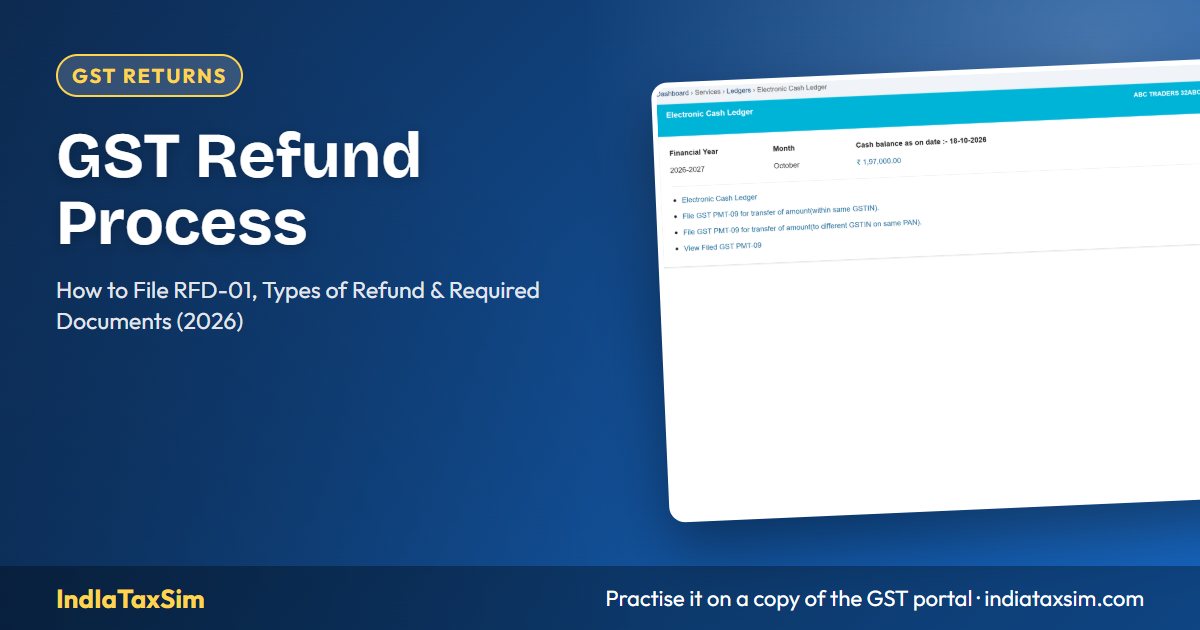
If you have excess cash in your Electronic Cash Ledger (e.g., deposited extra by mistake), you can claim a refund of the balance through RFD-01. The claim is processed relatively quickly as it involves cash — not ITC. Simply file RFD-01 and select "Excess balance in Electronic Cash Ledger" as the reason. No separate documents are needed beyond the ledger screenshot and a declaration.
5. Refund on Account of Deemed Exports
Deemed exports are supplies where the goods do not leave the country but are treated as exports for policy purposes — e.g., supply to Export Oriented Units (EOU), supply of goods to a project funded by an international organisation. The supplier can claim refund of GST paid on such supplies. Documentary requirements include proof of payment by the recipient in foreign currency (if applicable) and project approval documents.
Time Limit for Filing Refund
A refund application under Section 54(1) must be filed within two years from the "relevant date" as defined in Rule 89. The relevant date varies by refund type:
| Refund Type | Relevant Date |
|---|---|
| Export of goods (IGST paid) | Date of Let Export Order (LEO) on the shipping bill |
| Export of services (IGST paid or LUT) | Date of receipt of payment in convertible foreign exchange |
| Inverted duty structure | End of the financial year in which the claim relates |
| Excess cash ledger | Date of payment into the cash ledger |
| SEZ supplies | Date of receipt of payment, if applicable |
Missing the two-year window means the refund is forfeited — you cannot claim it later. This is one of the most common reasons for refund rejections.
Required Documents for Refund (Table)
| Document | Export (IGST) | Export (LUT) | Inverted Duty | Excess Cash |
|---|---|---|---|---|
| RFD-01 application | ✓ Auto | ✓ | ✓ | ✓ |
| Export invoices | ✓ | ✓ | — | — |
| Shipping bill / Bill of export | ✓ | ✓ | — | — |
| Statement of zero-rated supplies | — | ✓ | — | — |
| Statement of ITC (Annexure B) | — | ✓ | ✓ | — |
| GSTR-2B / GSTR-3B for the period | — | ✓ | ✓ | ✓ |
| CA/CMA certificate (Rule 89(2)) | — | ✓ | ✓ | — |
| Declaration of non-availment of duty drawback (for exports) | ✓ | ✓ | — | — |
| Proof of realisation of export proceeds | ✓ | ✓ | — | — |
Step-by-Step RFD-01 Filing Process
Step 1: Pre-claim Preparation
Before you apply, ensure: all GSTR-1 and GSTR-3B for the relevant period are filed; the corresponding GSTIN is active (not cancelled); the export proceeds (if applicable) are realised or a FIRC is obtained; and all invoices appear in your GSTR-2B (for ITC-based claims).
Step 2: Navigate to Refund on the Portal
Go to Services → Refunds → Application for Refund → RFD-01. Select the refund reason from the dropdown: Export of Goods/Services with/without payment of tax, Inverted Tax Rate, Excess balance in Cash Ledger, or any other applicable reason.
Step 3: Fill the Application
Enter the refund amount (which must not exceed the amount computed as per the prescribed formula), the tax period, and the bank account details for credit. Attach all required documents as listed above. The system validates the amount against your GSTR-3B returns and cash/credit ledger balances.
Step 4: Submit and Generate ARN
After verification of all entries, submit the application. An ARN (Application Reference Number) is generated. The application is now visible to the GST officer for processing.
Step 5: Officer Processing
The officer examines the application and may issue a notice (FORM GST RFD-08) if any deficiency is found. You must respond within 30 days via RFD-09. Common deficiencies: mismatch between invoices in the claim and GSTR-2B, lack of export proceeds realisation proof, or incorrect computation.
Step 6: Refund Sanction or Rejection
If satisfied, the officer issues FORM GST RFD-05 (sanction order) and FORM GST RFD-06 (payment order). The refund is credited directly to the registered bank account. If the claim is rejected or reduced, an RFD-04 or RFD-06 with reasons is issued.
Processing Timeline and Interest on Delayed Refunds
- Provisional refund (90%): Within 7 days from the date of acknowledgement — applicable for export with IGST and supplies to SEZ.
- Final sanction: Within 60 days from the date of acknowledgement — for all refund types.
- Interest: If the refund is not sanctioned within 60 days, 6% per annum interest is payable from the day after the 60-day period until the date of payment.
- Withholding: The officer may withhold 10% of the refund amount if there is a pending demand against the taxpayer — the withheld amount is released when the demand is resolved.
Common Reasons for Refund Rejection
- Export proceeds not realised: The sale proceeds must be received in foreign currency within the prescribed time (usually 12 months, extendable).
- Incorrect computation: Using wrong turnover figures or omitting certain invoices from the computation.
- ITC mismatch: Claiming ITC refund on invoices that do not appear in GSTR-2B — the officer will disallow these.
- Missing CA/CMA certificate: For claims above a threshold, a certificate from a chartered accountant or cost accountant certifying the correctness of the claim is mandatory.
- Duplicate claim: Claiming refund of the same ITC/invoice in two different applications.
- The two-year limit: Filing after the prescribed time limit — this is absolute and cannot be condoned.
How to Track Refund Status
Track your refund on the GST portal under Services → Refunds → Track Application Status. Enter the ARN. The system shows the current processing stage: Submitted → Pending at Jurisdictional Officer → Deficiency Issued → Provisional Sanction → Final Sanction → Payment Initiated → Payment Credited. You can also check the status on the PFMS (Public Financial Management System) portal after the payment order is issued.
Practice GST Refunds on IndIaTaxSim
IndIaTaxSim allows you to simulate the complete refund process — filing RFD-01 for export refund (both with and without IGST payment), inverted duty structure refund, and excess cash balance refund. You can practice computing the formula-based refund amount, uploading supporting documents, and tracking the application status through the officer processing stages. Explore refund course modules →
Disclaimer
Refund rules, timelines, and documentary requirements are governed by CBIC notifications and circulars. This guide reflects current provisions but should be verified against official GSTN portal instructions at the time of filing. IndIaTaxSim is an educational simulation platform.
📚 Continue Learning
📖 You Might Also Like
IndIaTaxSim Team
GST compliance experts building India's most complete GST simulation platform. All articles are reviewed for accuracy against the latest GSTN portal updates.